Simulating rotating gravity and perimeter based movement like in “Be Brave, Barb” game with Phaser, without any physics engine
Did you get a chance to play “Be Brave, Barb” by Thomas K. Young? It’s a cute platformer with a strange physics.
The heroine walks along the outer perimeter of floating shapes, rotates naturally at corners, and when se jumps, gravity shifts direction depending on the side she’s attached to.
When she lands, she smoothly reconnects to the geometry.
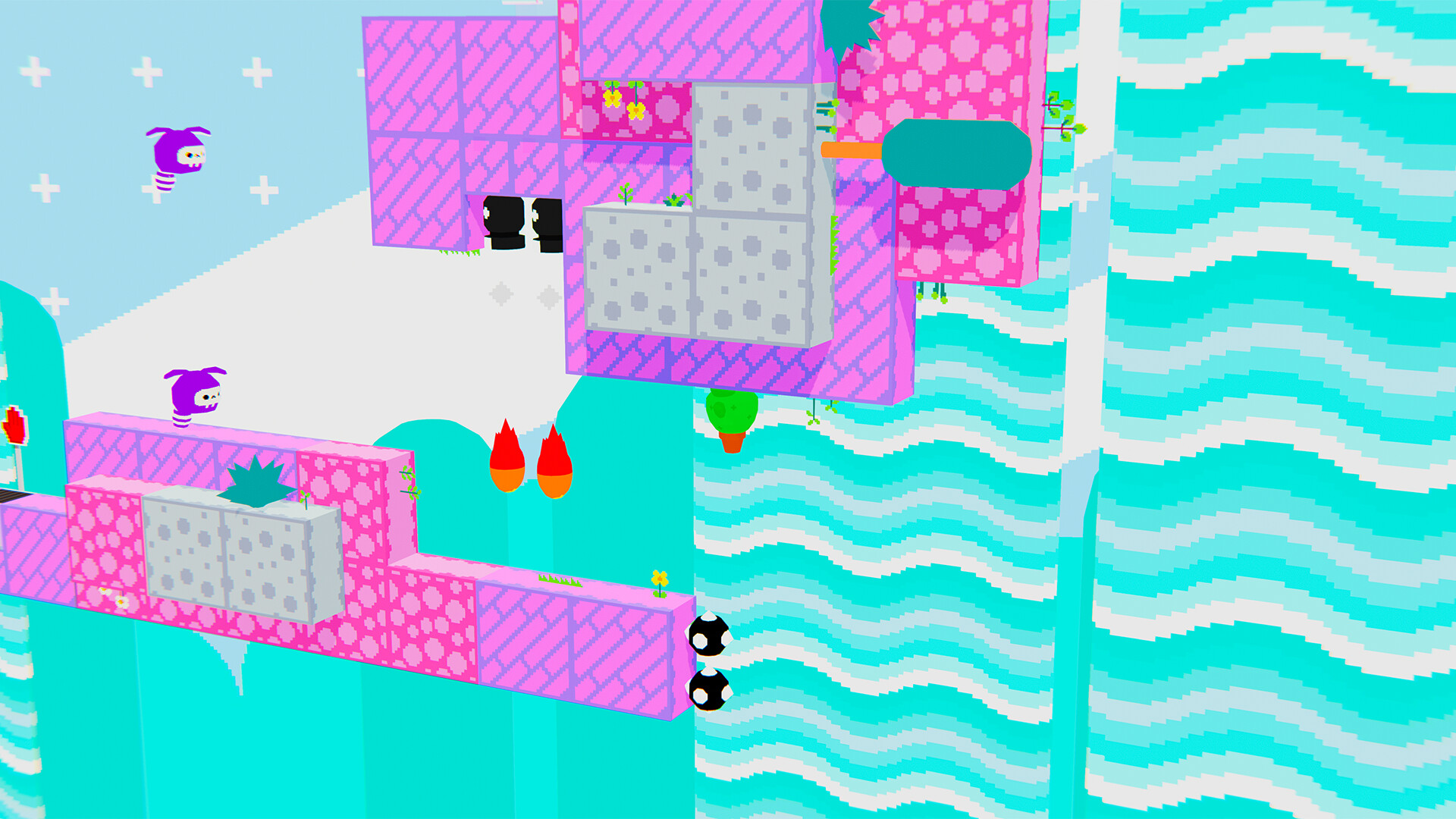
At first glance, it looks like a physics-heavy system. Can we replicate Barb’s movement without any physcis engine?
The goal is simple, but tricky:
- A character walks along the outer perimeter of a shape.
- It can jump.
- Gravity changes direction depending on which side it’s walking on.
- It can land on a different perimeter.
Let’s try to replicate this movement Just using geometry.
Look at this prototype:
Cick on the canvas to change direction, SPACE to jump.
It looks complicated, but it’s not.
Turning the Perimeter Into a Rail
Let’s start with a Tiled map like this one:
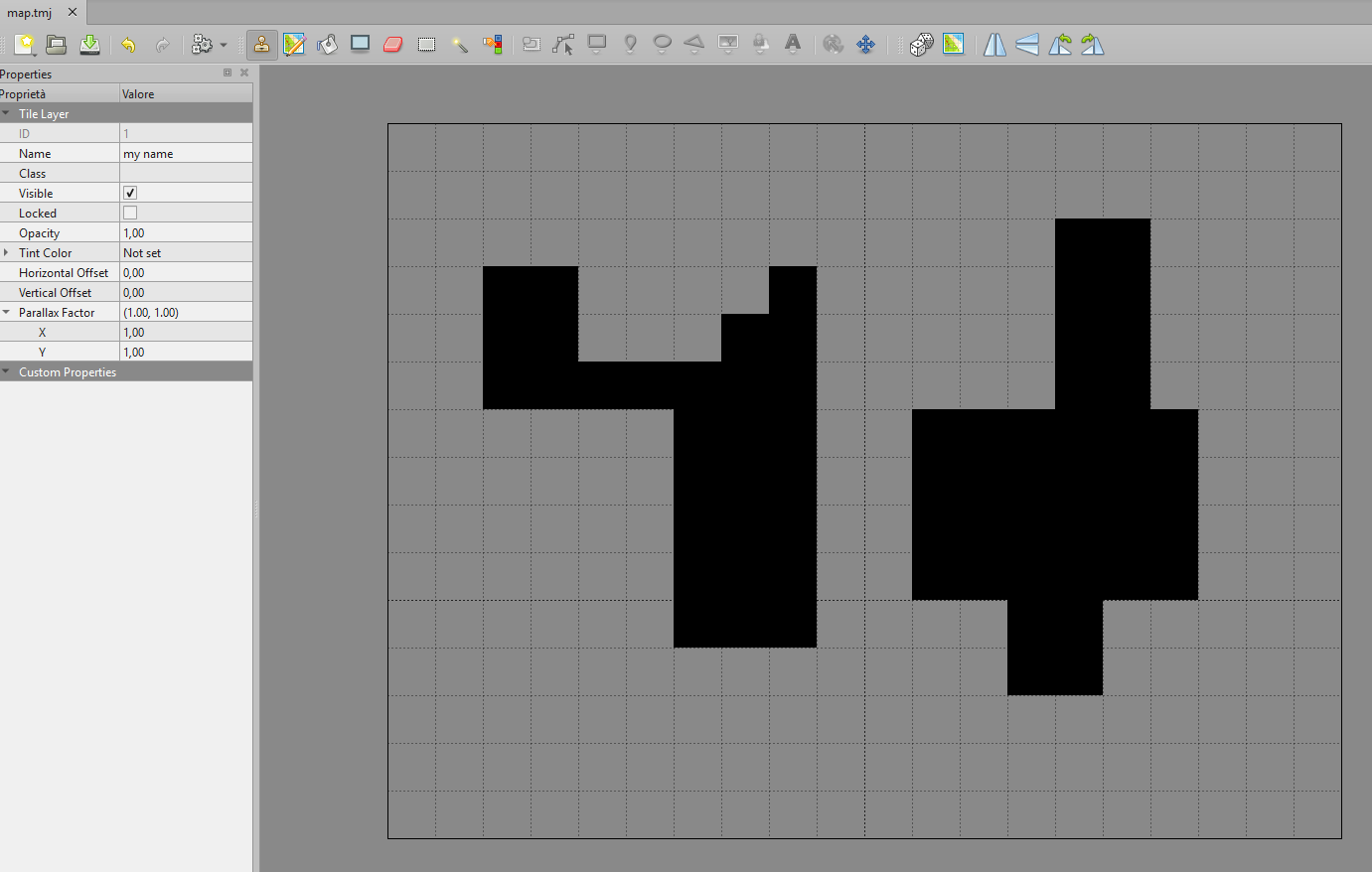
Using a greedy perimeter extraction (refer to From Dense Grids to Clean Perimeters: Extracting Shapes with Greedy Geometry – Tiled and JavaScript example), we can generate:
- The outer loop of the shape.
- An expanded version of that loop (slightly offset outward).
Each segment of the expanded loop becomes:
interface MotionSegment {
	start: Point;   // tile units
	end: Point;     // tile units
	length: number;
	terrain: OrthogonalDirection; // UP, DOWN, LEFT, RIGHT
}
The key piece of information is terrain. It tells us where the solid surface is relative to the segment.
This single property removes the need for trigonometry entirely.
Deterministic Movement Along the Perimeter
When the hero is attached to the path, we don’t use velocity.
We track:
- segmentIndex
- segmentT (0 ? 1), where 0 = at the beginning, 1 = at the end.
- direction (clockwise / counterclockwise)
Each frame:
let pixelsToGo: number = GameOptions.heroSpeed * delta / 1000;Where heroSpeed is hero’s speed in pixels per second and delta is the amount of milliseconds since previous frame.
pixelsToGo is the distance we are going to travel during current frame. We have to consume that distance across segments.
Position is just linear interpolation:
const posX: number = Phaser.Math.Linear(segment.start.x, segment.end.x, this.segmentT) * GameOptions.tileSize;
const posY: number = Phaser.Math.Linear(segment.start.y, segment.end.y, this.segmentT) * GameOptions.tileSize;
This makes movement fully deterministic, frame rate independent and numerically stable, with no physics body needed.
Four Gravity Directions
When the hero jumps, we define gravity based on the current segment:
switch (segment.terrain) {
    case OrthogonalDirection.UP:
        this.gravityVector = new Phaser.Math.Vector2(0, GameOptions.gameGravity);
        this.jumpVector = new Phaser.Math.Vector2(walkingSpeed, -GameOptions.jumpForce);
        break;
    case OrthogonalDirection.RIGHT:
        this.gravityVector = new Phaser.Math.Vector2(-GameOptions.gameGravity, 0);
        this.jumpVector = new Phaser.Math.Vector2(GameOptions.jumpForce, walkingSpeed);
        break;
    case OrthogonalDirection.DOWN:
        this.gravityVector = new Phaser.Math.Vector2(0, -GameOptions.gameGravity);
        this.jumpVector = new Phaser.Math.Vector2(-walkingSpeed, GameOptions.jumpForce);
        break;
    case OrthogonalDirection.LEFT:
        this.gravityVector = new Phaser.Math.Vector2(GameOptions.gameGravity, 0);
        this.jumpVector = new Phaser.Math.Vector2(-GameOptions.jumpForce, -walkingSpeed);
        break;
}
That’s it. Gravity always points “toward the terrain”, with no rotation math and no world transforms.
This works because we only work with four orthogonal cases.
Jump Without Physics
At jump start:
- We compute a forward speed along the perimeter.
- We apply a jump impulse orthogonal to the terrain.
- We store: jumpVector, gravityVector.
Each frame in air:
const prevX: number = this.hero.x;
const prevY: number = this.hero.y;

const nextX: number = prevX + this.jumpVector.x * dt;
const nextY: number = prevY + this.jumpVector.y * dt;

this.jumpVector.x += this.gravityVector.x * dt;
this.jumpVector.y += this.gravityVector.y * dt;
Simple Euler integration, without acceleration systems.
Continuous Collision Detection
The real problem is not jumping, but landing without tunneling.
The solution can be achieved in four steps:
- Build a line from previous position to next position
- Test intersection against all real perimeter segments
- Find the closest valid intersection
- Snap exactly to that point
We use a classic segment–segment intersection test: ua ? [0,1]; ub ? [0,1]
If both are in range, the collision is valid.
This works even at low frame rates because we test the full motion segment, not just the final position, avoiding penetration and tunnelling.
Smooth Direction Reattachment
When landing on the same perimeter, we can keep current direction. When landing of a different perimeter, we don’t keep the old direction.
Instead, we project the landing velocity onto the new segment’s tangent:
- Positive ? CLOCKWISE
- Negative ? COUNTERCLOCKWISE
The character continues moving naturally.
It feels physically correct, even though there is no real physics.
Why This Is Better Than Engine Physics
This approach is:
- Deterministic.
- Frame-rate stable.
- Free of penetration errors.
- Independent from physics solvers.
- Mathematically transparent.
- Portable into any other language and framework
It behaves exactly the same at 60 FPS and 240 FPS.
It’s essentially a fake platformer with rotating 90° gravity, powered entirely by geometry.
And it’s cleaner than using Arcade Physics for this specific mechanic.
Here you can find the complete Vite project to start playing with it.
Don’t know where to start developing with Phaser and TypeScript? I’ll explain it to you step by step in this free minibook.
